
Audit a Shared Spreadsheet Before It Becomes a Weekly Report
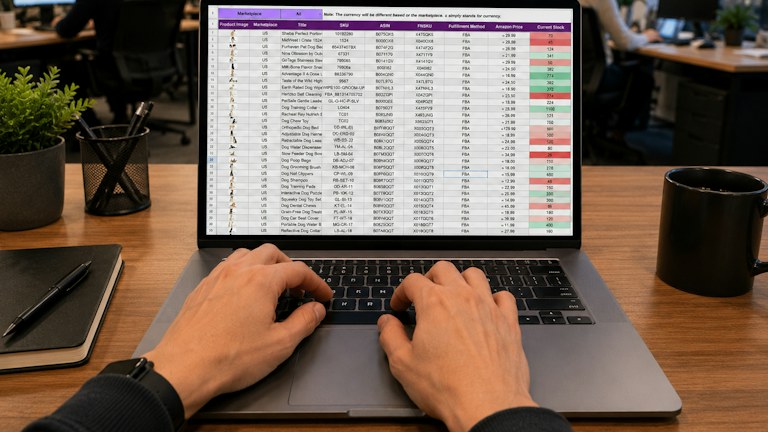
Photo: Gorilla ROI Data Connector / Unsplash License. Stock photograph for illustration; no product endorsement is implied.
A spreadsheet often becomes an unofficial reporting system before anyone decides that it should. One person adds a formula, another pastes next week's data, and a manager begins relying on the totals. The workbook may still work, but its assumptions are now important enough to deserve inspection. A small audit can reveal fragile links and unclear definitions before they affect a decision.
The goal is not to prove that every cell is perfect. It is to understand how the report is produced, identify the checks that matter and make recurring updates safer. Begin with a copy or a controlled review version so that the audit itself does not disrupt the live workbook.
In this guide
Identify the report's purpose and owner
Write down what decision the report supports and who is responsible for its accuracy. A workbook used to plan staffing has different critical fields from one used to summarize survey responses. Without a clear purpose, an audit can spend hours polishing formatting while overlooking the calculation that drives the actual decision.
Name the person who can clarify definitions and the person who approves changes. These may not be the same person. If a formula is wrong, somebody needs authority to correct it; if a category is ambiguous, somebody needs to explain its intended meaning. Shared editing does not remove the need for ownership of the reporting process.
Trace the input data
List every source feeding the workbook, including pasted exports, linked sheets, manual entries and external connections. Record the date range and filters expected from each source. A correct formula applied to an incomplete export can produce a misleading total without generating an obvious spreadsheet error.
Inspect a recent update from beginning to end. Does the operator replace the old data, append new records or mix both methods? Are blank rows or summary lines included? Check whether identifiers, dates and numeric values retain their intended types during import. A column that silently changes from numbers to text can affect sorting, matching and calculations in different ways.
Separate inputs from calculations
Make it clear which cells are intended for manual entry and which contain formulas. Labels, consistent formatting and appropriate protection can help, but color alone should not carry the instruction. Add a brief note explaining the update procedure near the relevant area or in an orientation sheet.
Look for formulas that have been replaced by fixed values inside an otherwise calculated column. There may be a legitimate reason, but it should be documented. An unexplained exception can survive several updates and distort comparisons. Similarly, check whether copied formulas still refer to the intended range or whether a relative reference has shifted into the wrong column.
Check totals against independent evidence
Choose a few important totals and compare them with a separate calculation or the original source report. Independence matters: summing the same incorrect range in another cell does not provide much reassurance. Use a different route where possible, such as counting source records directly or checking a total against an approved export.
Investigate differences rather than forcing agreement. The spreadsheet may intentionally exclude a category or use a different date definition. Record that rule if it is valid. If the discrepancy comes from an error, identify which past reports could be affected and involve the appropriate owner. A quiet correction to this week's workbook may not resolve earlier decisions based on the same problem.
Test boundary cases
Use a controlled copy to inspect what happens with no records, one record, missing values, duplicate identifiers and unusually large values. Check a period boundary, such as the last day of a month, if date filtering matters. These cases often reveal assumptions that remain invisible in an ordinary week with a familiar number of rows.
Do not introduce artificial test rows into the live report unless the process explicitly supports that practice. Keep test data labeled and separate. Record the expected result before looking at the workbook's answer. Otherwise it is easy to accept whatever the formula produces because there was no independent expectation to compare against.
Review presentation as well as arithmetic
A mathematically correct table can still mislead if the labels are unclear. State units, time periods and whether figures are totals, averages or rates. If two percentages use different denominators, explain that difference. A reader should not need to inspect formulas to understand what the headline number represents.
Check charts for appropriate axes and consistent category order. Avoid presenting a partial period beside a completed period without a clear label. If a source is still updating, mark the figures provisional. These are reporting choices rather than formula errors, but they can have just as much influence on how the information is interpreted.
Inspect access and change history
Confirm who can edit the workbook and whether that matches the intended process. A broad edit link may be convenient during setup but unsuitable for a report with many readers. Use the sharing controls available in your platform and avoid treating hidden sheets as a security boundary. Sensitive data needs proper access restrictions.
Review version history or change records where available, especially around unexplained changes in results. Preserve a known good version before making structural edits. If several people update the workbook, agree how they signal that an update is in progress and complete. Otherwise one person may distribute a report while another is still replacing its inputs.
Create a repeatable pre-publication check
Turn the audit's findings into a short recurring checklist. It might include confirming the export date, comparing record counts, checking two control totals and reviewing any error cells. Keep the list focused on the workbook's actual risks. A long generic checklist is more likely to be skipped than a small set of checks with an obvious purpose.
For example, a weekly attendance report could compare imported registration IDs with the source count, flag missing attendance entries and verify that the reporting week appears correctly in the title. The final reviewer then checks the summary before sharing it. That routine does not guarantee perfection, but it makes important assumptions visible and creates a practical opportunity to catch mistakes every week.
Keep a small issue register beside the audit notes. For each finding, record its effect, the proposed correction, the owner and whether earlier reports need review. This prevents minor formatting observations from receiving the same attention as a calculation that changes a decision, and gives the next reviewer a clear record of what remains unresolved.