
Organize Digital Receipts So a Transaction Can Be Found Again
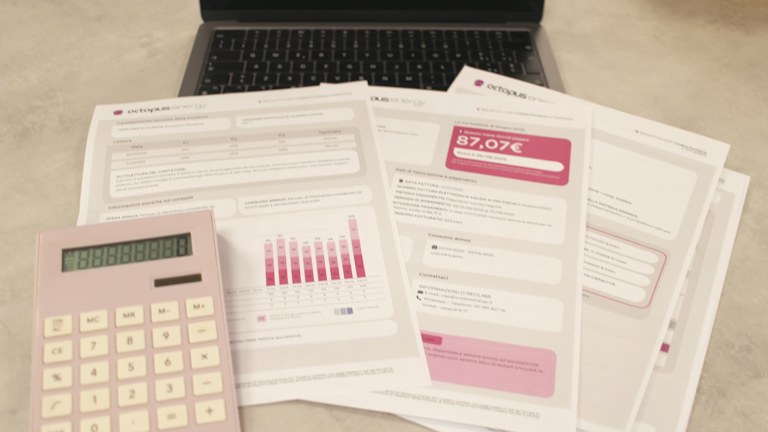
A useful digital receipt system lets you answer a practical question later: what was purchased, when, from whom, for which purpose, and where is the supporting record? Saving every receipt into one crowded folder is a start, but a small amount of consistent structure makes returns, reimbursements, warranty questions, and routine recordkeeping easier.
This guide focuses on organization, not tax or legal retention requirements. Those requirements depend on your circumstances and jurisdiction. Follow the rules set by your employer, accountant, or other responsible adviser, and do not discard original records merely because you created a digital copy.
Choose a single intake point
Decide where new receipts first arrive. It might be a dedicated folder, an approved expense system, or an email label that collects receipt messages. The intake point should be easy to use from the devices you already carry, otherwise receipts will continue to scatter across downloads and camera rolls.
Keep capture separate from final filing. A temporary inbox lets you save a receipt quickly without deciding every category at the checkout counter. Schedule a short review to add context and move records into their final location before the inbox becomes another archive nobody can interpret.
For work expenses, use the organization's approved system and account. Do not place confidential business records in a personal cloud service simply because it is convenient. The place you choose should support the access, retention, and handoff needs of the people responsible for the records.
Capture a readable record
For a paper receipt, photograph or scan the complete document with enough clarity to read the merchant, date, items, totals, and payment reference where relevant. Check the result immediately. A blurred image discovered weeks later may be impossible to replace.
Include all pages or both sides when they contain necessary information. Avoid cropping away return conditions or reference numbers you may need. At the same time, do not include unrelated documents or unnecessary personal information in the background of a photograph.
For email receipts, preserve the actual receipt or supported export rather than only a screenshot of the subject line. If an online account provides a downloadable document, save it through the legitimate service while you still have access. A link alone may stop working when an account or order page changes.
Use consistent names and identifiers
Choose a simple filename pattern such as date, merchant, and a short purpose or reference. Use an unambiguous date format and avoid characters that cause problems across systems. The filename should help you recognize the record without opening it, but it does not need to contain every detail.
If several receipts share the same date and merchant, add a neutral sequence or transaction reference. Do not rely on names such as “receipt final” and “receipt final new,” which become unclear after a few months. Keep the source reference when it helps match the receipt to an expense or return.
Avoid exposing sensitive information in filenames. Full card numbers, personal identifiers, and detailed private descriptions are usually unnecessary. Filenames can appear in shared links and notifications even when the document itself is stored with restricted access.
Record context while you remember it
Add the purpose, project, reimbursement status, or person responsible where your workflow requires it. A receipt may show what was bought without explaining why it belongs to a particular project. That context is much easier to record soon after the purchase than at the end of a reporting period.
Use a small set of categories that match the decisions you need to make. Too many categories create hesitation and inconsistent filing. If your employer has an expense taxonomy, use it rather than inventing a parallel one that someone else must translate later.
Keep factual fields distinct from your notes. The merchant's total and date should remain traceable to the source, while your project assignment or explanatory note is additional context. This distinction helps when a reviewer questions a classification without disputing the original transaction.
Match receipts to transactions carefully
Reconcile receipts with the relevant account or expense record through the approved process. Check merchant, date, amount, and currency, allowing for documented differences such as tips, partial refunds, or a later posting date. A similar amount alone is not enough to establish a match.
Mark missing receipts and duplicates explicitly. Two copies of the same receipt should not become two reimbursement claims. Conversely, a combined receipt may relate to more than one internal allocation, which needs a clear explanation rather than duplicating the full amount across categories.
Do not alter the source receipt to make it fit your records. Keep corrections or allocation notes separate. If the merchant's document is wrong, follow the legitimate process to obtain a corrected record or document the discrepancy with the responsible reviewer.
Track actions that remain open
Some receipts need a follow-up: submit an expense, request a return, register a warranty, or confirm a refund. Record the action and deadline in a task system or a simple status field. A folder name alone is a weak reminder for something time-sensitive.
Link the task to the stored record so you do not have to search again when acting. For a return, include the relevant order reference and the actual policy source you checked. Do not assume every merchant uses the same return period or that a receipt guarantees eligibility.
When the action is complete, record the result and preserve supporting confirmation where needed. A refund request and a received refund are different states. Keeping that distinction visible helps prevent unresolved items from disappearing into the archive.
Make retrieval and recovery part of the routine
Test whether you can find a receipt using the information you are likely to remember: approximate date, merchant, project, or amount. If retrieval is difficult, simplify the structure or improve the metadata rather than adding more nested folders automatically.
Maintain an appropriate backup or export process and verify that records can be opened outside the primary app when needed. Synchronization alone may not protect against accidental deletion or account loss. Follow the service's supported recovery controls and your retention requirements.
A dependable receipt workflow is modest: capture clearly, add context, match the transaction, track open actions, and preserve the record for the required period. Consistency makes it useful. The system should reduce the effort of answering a future question, not create a second administrative project around every ordinary purchase.
Illustrative stock photo: Giorgio Tomassetti / Unsplash. Unsplash License.