
A Practical PDF Review Workflow for Small Teams
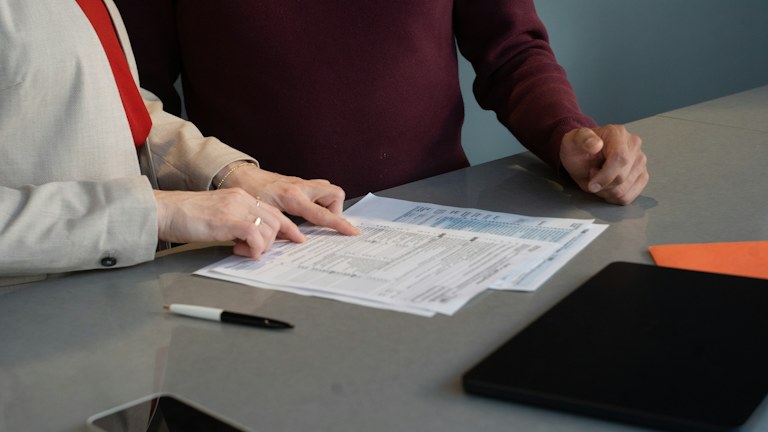
Photo: Olena Kholina / Unsplash License. Stock photograph for illustration; no product endorsement is implied.
PDFs are convenient for sharing a stable-looking document, but they can make collaboration awkward. One reviewer emails a marked copy, another describes a change in chat, and a third edits the source document directly. The person preparing the final version must then decide which comments are current and whether apparently conflicting requests refer to the same passage.
A useful review workflow separates the source document, the review copy and the approved output. It also gives comments an owner and a clear disposition. You do not need a large document-management platform to achieve this. A shared location, an agreed naming convention and a short review brief can make a small team's process much easier to follow.
In this guide
Define the purpose of the review
Before sending the PDF, state what feedback you need. A factual review differs from a design review, and both differ from final proofreading. If the layout is already approved, say whether layout changes are still welcome. Reviewers otherwise spend time solving problems that the project is no longer prepared to change.
Set a reasonable deadline and identify who resolves conflicting comments. A deadline without a decision owner merely moves the disagreement to the end of the process. Include any constraints, such as a fixed page count or wording that has already been approved by another team. Keep the brief short enough that reviewers actually read it before opening the document.
Preserve the editable source
Keep the original document in its native application and identify the person responsible for applying changes. A PDF annotation is usually a request, not a reliable substitute for editing the source. Repeatedly modifying an exported PDF can make later revisions harder if the source and output no longer agree.
Create the review PDF from a known source version and record that relationship. If the PDF includes forms, links or interactive elements, check them after export. A document that looks correct on your screen may contain a broken link or a field that behaves differently elsewhere. The export itself deserves a quick inspection before it becomes the team's reference copy.
Choose one place for comments
Use a shared review tool if your team already has one that everybody can access. Otherwise distribute one clearly identified review copy and explain how annotated versions should return. Avoid mixing simultaneous review methods without a plan to consolidate them. Comments in email, chat and several PDFs become difficult to reconcile because each channel carries a different version of the conversation.
Check access and annotation capability before the deadline begins. A recipient may be able to view a PDF but not save comments with the application available to them. Offer a simple fallback, such as a list containing page number, quoted text and proposed change. Accessibility matters here too: do not require every reviewer to identify issues solely through colored marks.
Make comments specific and actionable
A useful comment identifies the location, explains the concern and proposes an action when possible. Replace unclear with a description of what the reader cannot understand. Replace change this with the wording or factual correction needed. If the issue is a question rather than a request, mark it as a question so the editor does not treat a tentative suggestion as an instruction.
Separate mandatory corrections from optional improvements. A wrong date and a preferred adjective do not carry the same weight. The distinction helps the editor prioritize under time pressure and makes the decision record more honest. Reviewers should also avoid placing several unrelated requests inside one comment, because resolving one part can make the remaining parts easy to overlook.
Consolidate before applying changes
Collect the feedback into one working list or review copy. Group comments that address the same passage and identify contradictions. Resolve those contradictions with the decision owner before editing where possible. Otherwise you may implement one request only to reverse it when another reviewer notices.
Give each material comment a status such as accepted, declined with reason, needs clarification or implemented. The exact labels matter less than using them consistently. Do not mark a comment complete merely because somebody has replied to it. Completion should mean the requested action has been resolved, and implementation should be checked in the document rather than assumed from the discussion.
Re-export and inspect the result
After editing the source, generate a new PDF and check the changes in context. A corrected sentence can create an awkward line break; a new table row can push a footnote to another page. Inspect headings, page breaks, links and any text close to the edge of a page. If the document will be printed, consider the intended paper size and whether important information relies on color alone.
Use comparison features when they are available and appropriate, but still inspect meaningful changes yourself. A comparison tool can highlight differences without explaining whether they are correct. Pay particular attention to numbers, dates, names and repeated information that may appear in more than one location. A title page and a footer can disagree even after the main text is fixed.
Work through an example
Imagine a four-page event guide reviewed by an organizer, a venue contact and a designer. The organizer checks the schedule, the venue contact confirms access instructions, and the designer checks layout. The brief names those responsibilities and identifies one person to decide wording disputes. All comments refer to the same dated review copy.
The venue contact corrects an entrance description while the organizer changes the start time. The editor applies both changes in the source, re-exports the PDF and verifies that the summary panel matches the detailed schedule. The final check focuses on those changed areas plus overall layout, rather than assuming that a clean-looking first page proves the whole guide is ready.
Keep approval separate from publication
Record who approved the final PDF and retain that exact version in a clearly identified location. Approval does not necessarily mean publication has occurred. If somebody else uploads or distributes the file, confirm that they used the approved copy rather than a similarly named review version.
Archive superseded review copies when the process finishes, keeping them available if the decision history matters. The next project can reuse the review brief and comment conventions without inheriting obsolete feedback. A dependable PDF workflow makes it easy to see what was reviewed, what changed and which file people should use now.